
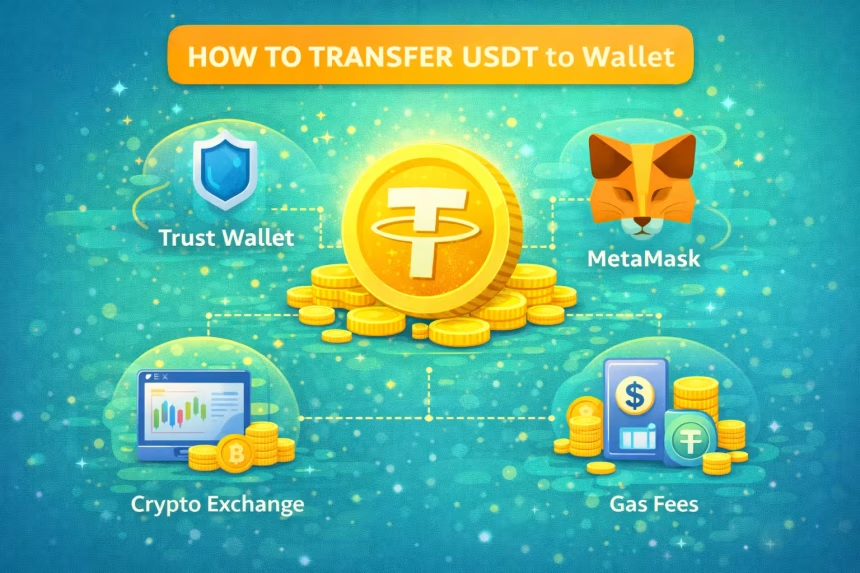
Transferring USDT to a personal wallet allows you to fully control your funds, improve security, and use USDT for DeFi, staking, and long-term storage.
In simple terms:
Exchanges are for trading. Wallets are for holding and controlling crypto.
This guide explains how to transfer USDT to wallets like Trust Wallet and MetaMask, safely and without mistakes.
Things to Check Before Transferring USDT 🚨
Before sending USDT, always confirm these three critical points:
- Correct wallet address
- Correct blockchain network
- Enough balance for gas fees
Sending USDT on the wrong network can result in permanent loss.
USDT Networks You Must Understand
USDT exists on multiple blockchains.
| Network | Common Use | Wallet Support |
| ERC-20 (Ethereum) | DeFi, MetaMask | ✅ Yes |
| BEP-20 (BNB Chain) | Low fees | ✅ Yes |
| TRC-20 (Tron) | Cheap transfers | ❌ MetaMask |
| Polygon | Low-cost DeFi | ✅ Yes |
Network of sender and receiver must match exactly.
How to Transfer USDT to Trust Wallet (Step-by-Step)
Step 1: Open Trust Wallet
- Select USDT
- Choose the correct network (ERC-20, BEP-20, etc.)
- Tap Receive
- Copy your wallet address
Step 2: Go to the Sending Platform
This could be:
- A crypto exchange
- Another wallet
Click Withdraw / Send USDT.
Step 3: Paste Trust Wallet Address
- Paste the copied address
- Select the same network
- Enter the USDT amount
Step 4: Confirm Transaction
- Review address & network
- Confirm withdrawal
- Wait for blockchain confirmation
✔ USDT will appear in Trust Wallet after confirmation.
How to Transfer USDT to MetaMask (Step-by-Step)
Step 1: Open MetaMask
- Select the correct network (Ethereum, BSC, Polygon)
- Copy your wallet address
Step 2: Import USDT Token (If Needed)
If USDT doesn’t show:
- Click Import Tokens
- Add USDT contract address
- Confirm
Step 3: Send USDT from Exchange or Wallet
- Paste MetaMask address
- Select matching network
- Enter amount
- Pay gas fee (ETH / BNB / MATIC)
✔ USDT will show once confirmed.
Gas Fees When Transferring USDT
Gas fees depend on the network:
- Ethereum (ERC-20): Higher fees
- BNB Chain / Polygon: Lower fees
- Tron (TRC-20): Very low fees
Always keep some native coin (ETH, BNB, MATIC) for gas.
Common USDT Transfer Mistakes to Avoid 🚩
❌ Sending TRC-20 USDT to MetaMask
❌ Choosing wrong network
❌ Copy-paste address errors
❌ Sending full balance without gas fees
❌ Using fake wallet apps
How Long Does USDT Transfer Take?
- BNB Chain / Polygon: Few seconds to minutes
- Ethereum: Minutes (can be longer during congestion)
- Tron: Very fast
Transaction speed depends on network load.
How to Check USDT Transfer Status
You can track your transfer using:
- Blockchain explorer (Etherscan, BscScan, etc.)
- Transaction hash (TXID)
If status shows Success, funds are delivered.
Why USDT Didn’t Arrive in Wallet?
Possible reasons:
- Wrong network
- Token not imported
- Transaction still pending
- Insufficient confirmations
Double-check network and token visibility.
Is It Safe to Transfer USDT to Wallets?
Yes, transferring USDT to non-custodial wallets is safe if:
- You control private keys
- You follow correct network rules
- You avoid phishing sites
Wallets give you full ownership of your crypto.
Best Practices for USDT Transfers
- Always test with small amount first
- Double-check wallet address
- Match network carefully
- Bookmark official wallet sites
- Never share seed phrase
Final Thoughts
Transferring USDT to a wallet is a basic but crucial crypto skill. Whether you use Trust Wallet, MetaMask, or another wallet, the key is always the same:
Correct address + correct network = safe transfer
Once your USDT is in your wallet, you can store it securely or use it across DeFi platforms.
Disclaimer
Disclaimer:
This article is for educational purposes only and does not constitute financial advice. Crypto transactions are irreversible. Always verify addresses and networks before transferring USDT.